Trees and Forests in three.js: LOD, Instancing, KTX2 and Wind — a Practical Guide
How to put a real forest into a three.js web game without killing the frame rate or the download: game-ready GLB, compression, THREE.LOD, InstancedMesh and BatchedMesh, leaf cutouts, shadows and a cheap wind shader.
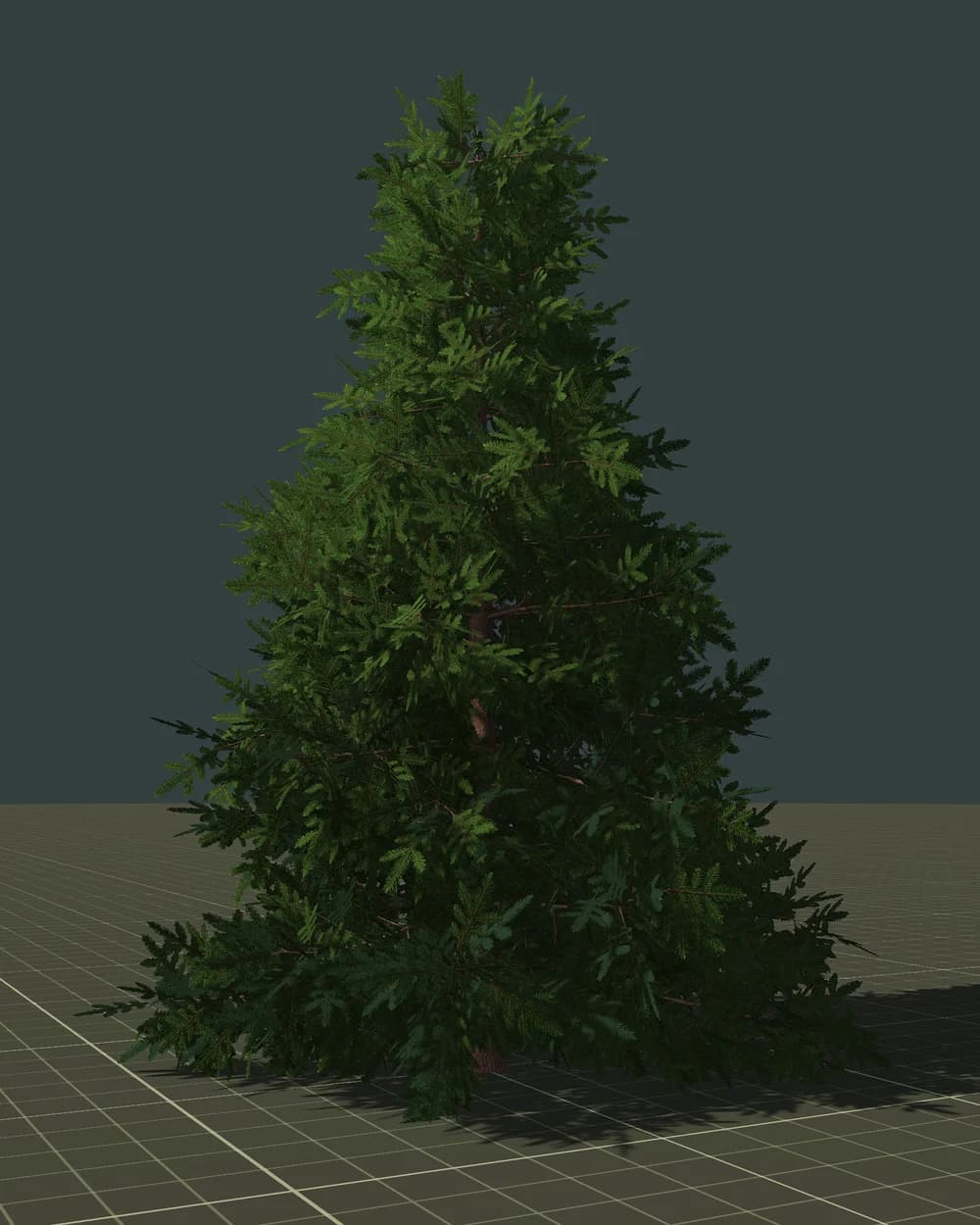
More and more games are made for the browser — and more and more of their code is written together with AI assistants, which reach for three.js by default. The Vibe Jam 2026, for example, asked for browser games that start without a download and recommended three.js. Sooner or later every one of those games wants a forest. And a forest is usually the first thing that turns 60 FPS into 15 and a 5 MB page into 150 MB.
The web is the strictest platform of all: weak laptops and phones, a GPU shared with the browser, and every megabyte has to be downloaded before the player sees anything. This guide shows how to build vegetation that survives those limits — step by step, with code for current three.js.
The web budget
Before writing code, set limits. These are starting points for a mid-range laptop or phone, not laws — measure your own scene:
| What | Comfortable target |
|---|---|
| Draw calls per frame | a few hundred at most |
| Triangles per frame | 0.5–2 million |
| One tree, near level | 5,000–15,000 triangles |
| One tree, far level | under 1,500 triangles; impostor — 2 |
| Download for the whole forest | a few MB, not tens |
The key idea is the same as in any engine: most of the forest is far away, so most of the forest must be cheap. Each level of detail should be roughly 3–4 times lighter than the previous one.
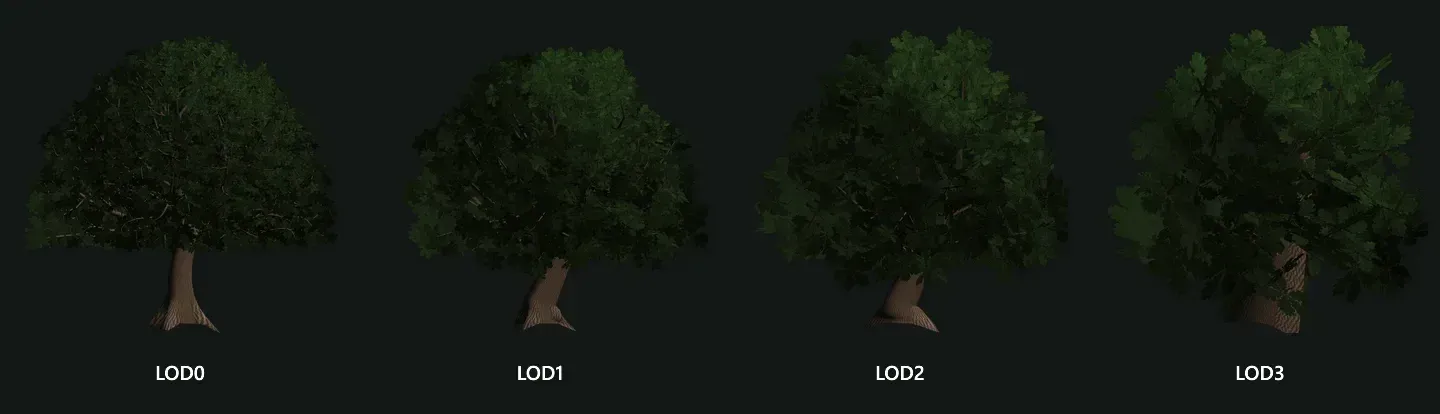 One tree, four levels of detail: the silhouette stays, the cost drops.
Step 1. Start with a game-ready GLB
A tree for a game is not just a pretty mesh. Before you write a single line of rendering code, check that the file has:
- a chain of LODs with the same silhouette (and ideally an impostor for the farthest level);
- leaves as clustered cards, not thousands of separate leaves and not a solid "broccoli" mass;
- a pivot at the base of the trunk and real-world scale in metres;
- simple collision — a capsule for the trunk, not the crown;
- wind weights stored per vertex.
You can check all of this in the browser with free tools: the polygon counter, the LOD viewer and the glTF validator.
Step 2. Make the file small: meshopt and KTX2
Two compressions cut a typical tree several times over:
- Geometry — meshopt (or Draco) compression.
- Textures — KTX2 (Basis Universal). Unlike PNG or JPEG, KTX2 stays compressed in video memory, so it saves both download and VRAM.
You can do it in the browser with our glTF compressor and KTX2 converter, or on the command line with glTF Transform:
npx @gltf-transform/cli optimize tree.glb tree.min.glb --compress meshopt --texture-compress ktx2
(KTX2 compression in the CLI needs KTX-Software installed; --texture-compress webp works without it.)
Loading a compressed file in three.js:
import { GLTFLoader } from 'three/addons/loaders/GLTFLoader.js';
import { KTX2Loader } from 'three/addons/loaders/KTX2Loader.js';
import { MeshoptDecoder } from 'three/addons/libs/meshopt_decoder.module.js';

const ktx2 = new KTX2Loader().setTranscoderPath('/basis/').detectSupport(renderer);
const loader = new GLTFLoader().setKTX2Loader(ktx2).setMeshoptDecoder(MeshoptDecoder);

const gltf = await loader.loadAsync('/models/oak.min.glb');
Step 3. A few trees: THREE.LOD
For a handful of trees near the player — a village square, a hero tree — the built-in THREE.LOD is enough. It shows one child depending on the distance to the camera; the third argument is a hysteresis that prevents flickering on the border:
const lod = new THREE.LOD();
lod.addLevel(lod0, 0);
lod.addLevel(lod1, 30, 0.1);
lod.addLevel(lod2, 70, 0.1);
lod.addLevel(impostor, 150, 0.1);
lod.position.set(x, 0, z);
scene.add(lod);
THREE.LOD updates automatically when the renderer draws the scene. Its limit is that every tree is still a separate object — separate draw calls for bark and leaves. Past a few dozen trees you need instancing.
Step 4. Many trees: instancing, in chunks
InstancedMesh draws thousands of copies of one mesh in a single draw call. But three.js treats it as one object: it is culled as a whole and has no LOD — all instances are drawn at the same detail, even those 500 m away or behind the camera.
The solution is the same as in Godot and Unity: split the world into chunks and create one InstancedMesh per chunk, per LOD level and per material. Then each chunk picks its level by distance:
const CHUNK = 32; // metres — close to the LOD0 distance
const STARTS = [0, 35, 80, 160]; // where each LOD begins
const CULL = 400;

function buildChunk(trees, lodMeshes) {
  // lodMeshes[i] = [barkMesh, leavesMesh] taken from the GLB
  const levels = lodMeshes.map((parts) => parts.map((src) => {
    const im = new THREE.InstancedMesh(src.geometry, src.material, trees.length);
    trees.forEach((m, k) => im.setMatrixAt(k, m));
    im.computeBoundingSphere();
    return im;
  }));
  const group = new THREE.Group();
  levels.flat().forEach((im) => group.add(im));
  group.userData.levels = levels;
  group.userData.center = centerOf(trees); // a THREE.Vector3
  return group;
}

function updateChunk(group, camera) {
  const d = camera.position.distanceTo(group.userData.center);
  group.userData.levels.forEach((parts, i) => {
    const visible = d >= STARTS[i] && d < (STARTS[i + 1] ?? CULL);
    parts.forEach((im) => { im.visible = visible; });
  });
}
Call updateChunk for every chunk a few times per second rather than every frame — distances change slowly. The chunk size matters: distance is measured to the chunk's centre, so chunks much larger than the LOD0 band would show coarse trees right next to the player.
BatchedMesh is the modern alternative. It draws many different geometries with one material, culls every object separately (perObjectFrustumCulled is on by default) and lets you change the geometry of any instance with setGeometryIdAt — which is exactly what an LOD switch is:
const bark = new THREE.BatchedMesh(maxTrees, maxVerts, maxIndices, barkMaterial);
const lodIds = barkLods.map((g) => bark.addGeometry(g));

for (const t of trees) {
  t.id = bark.addInstance(lodIds[0]);
  bark.setMatrixAt(t.id, t.matrix);
}

// a few times per second:
for (const t of trees) {
  const d = camera.position.distanceTo(t.position);
  const lod = STARTS.findLastIndex((s) => d >= s);
  bark.setGeometryIdAt(t.id, lodIds[lod]);
}
Use one BatchedMesh per material (bark, leaves). If you prefer a ready solution, the community libraries @three.ez/instanced-mesh (per-instance culling and LOD for instancing) and @three.ez/batched-mesh-extensions (LOD for BatchedMesh) do this work for you.
One more shortcut: if your file uses the glTF extension EXT_mesh_gpu_instancing, GLTFLoader creates InstancedMesh objects for you — a whole forest in one file.
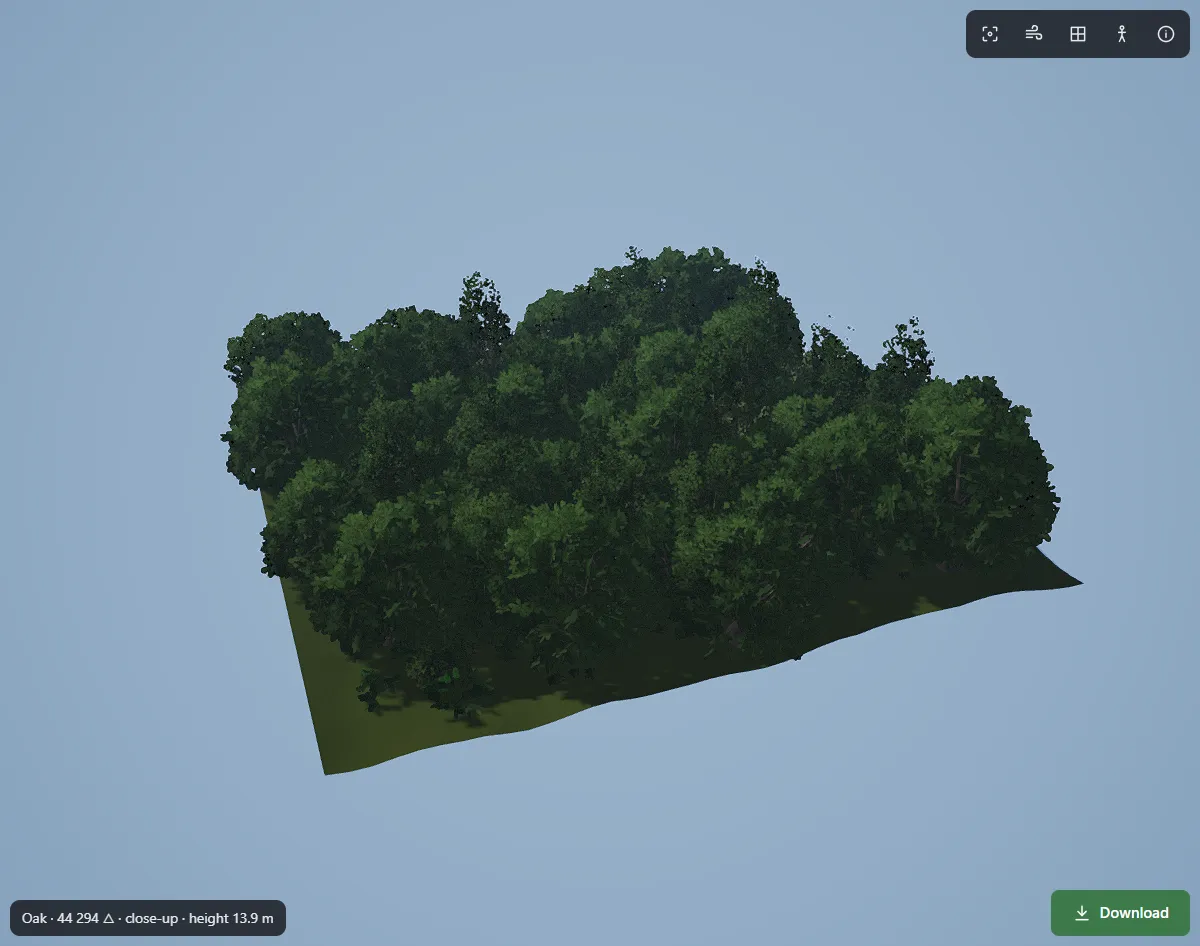 A forest of instanced trees: the number of draw calls barely grows with the number of trees.
Step 5. Leaves: cutout, not transparency
Most slow forests on the web are slow because of their leaves.
- Use
alphaTest, nottransparent: true. Transparent materials are sorted and blended, write no depth and multiply overdraw. A cutout is much cheaper:
leaves.material.transparent = false;
leaves.material.alphaTest = 0.5;
leaves.material.side = THREE.DoubleSide;
leaves.material.alphaToCoverage = true; // soft edges when the renderer has antialias: true
- Watch the shape of the cards. A square card around a round leaf cluster shades many invisible pixels. Cards cut to the silhouette of the cluster save a lot of fill rate — and on phones fill rate is often the real limit.
- Lower the resolution on weak devices.
renderer.setPixelRatio(Math.min(devicePixelRatio, 1.5))is often the biggest single win for foliage on high-DPI phones.
Step 6. Shadows and wind
Shadows draw the forest a second time. Keep the shadow camera tight around the player, use a moderate shadow.mapSize, and let only near levels cast shadows:
lod2Leaves.castShadow = false;
impostor.castShadow = false;
Wind belongs in the vertex shader. If the model stores wind weights per vertex — say, trunk bend in x and branch sway in y of the second UV channel — you can add motion to a standard material with onBeforeCompile:
const time = { value: 0 };
geometry.setAttribute('wind', geometry.getAttribute('uv1')); // TEXCOORD_1 from the GLB

material.onBeforeCompile = (shader) => {
  shader.uniforms.uTime = time;
  shader.vertexShader = shader.vertexShader
    .replace('#include <common>', '#include <common>\nattribute vec2 wind;\nuniform float uTime;')
    .replace('#include <begin_vertex>', `#include <begin_vertex>
      float sway = sin(uTime * 1.3 + position.y * 0.2);
      transformed.x += (sway * wind.x * 0.25 + sin(uTime * 2.7 + position.x) * wind.y * 0.1);
      transformed.z += sway * wind.x * 0.1;`);
};

// in the render loop:
time.value = clock.getElapsedTime();
Copying the attribute under its own name avoids a clash with three.js, which declares uv1 itself when a material uses a second UV set.
Step 7. Measure
renderer.info.render.callsandrenderer.info.render.triangles— draw calls and triangles per frame;- the browser's Performance panel — whether the CPU or the GPU is the limit;
- a real mid-range phone — not only your development machine.
Measure before and after each change. Often one fix (cutout leaves, pixel ratio, shadow distance) gives more than all the others combined.
Checklist
- GLB with an LOD chain, clustered leaf cards, pivot at the root, collision and wind weights.
- Geometry compressed with meshopt, textures with KTX2.
-
THREE.LODfor a few near trees; chunkedInstancedMeshorBatchedMeshfor forests. - Leaves with
alphaTestandalphaToCoverage, nottransparent. - Shadows only on near levels; tight shadow camera.
- Pixel ratio capped on phones.
- Draw calls, triangles and frame time measured on a real device.
How FoliMesh fits into this
FoliMesh is a tree and nature generator that runs in the browser and is built around game budgets. You set a triangle budget for every level, and it exports a GLB with LOD0–LOD3 and a crossed billboard for the farthest distance, leaf cards cut to the shape of their clusters, a pivot at the root, wind weights in TEXCOORD_1 (three.js reads it as uv1) and LOD distances and collision capsules in the node's extras (in three.js — object.userData). Whole forests can be exported as one GLB with EXT_mesh_gpu_instancing, which GLTFLoader turns into instanced meshes.
To see how FoliMesh compares with other tools, read our comparison of 3D tree generators. Building in Godot instead? See how to build a fast forest in Godot 4.
FAQ
Does three.js have LOD?
Yes, THREE.LOD switches between child objects by distance. It does not work per instance inside an InstancedMesh — for that, use chunks, BatchedMesh with setGeometryIdAt, or a library such as @three.ez/instanced-mesh.
InstancedMesh or BatchedMesh?
InstancedMesh is the simplest and fastest for many copies of one mesh. BatchedMesh is better when you want per-object culling and per-object LOD, or many different meshes with one material.
Why are my tree leaves black or sorted wrongly?
Usually because the material is transparent: true. Switch to alphaTest with DoubleSide; sorting problems disappear and performance improves.
Is KTX2 worth it for trees? Yes. Bark and leaf textures are often the largest part of the download and of video memory, and KTX2 reduces both.